

Are you struggling to find game resources every month? Games on Steam are painfully expensive, 3DM's download speed is as slow as a snail, and your link request posts get deleted on Baidu Tieba. Stop struggling—MoeZhai Community is here to end all your frustrations. One app handles game downloads, strategy guides, and team matchmaking—the entire anime game circle is using it. Today's tutorial will break down the download methods and usage tips clearly, and you'll be ready to go after reading.
MoeZhai Community App Download Method
First, let's get this essential tool. The official download channel is on Quark Cloud Drive, here's the link for you: https://pan.quark.cn/s/2a2e75e1818b
Don't rush to open it after downloading—first check if your phone has enough storage space. MoeZhai Community itself isn't large, but if you want to install several games, reserve 5GB of space to be safe. The installation package is named "mzsq.apk". After installation, the desktop icon is a pink little house—recognize this and don't download the wrong one.
Registration and Login Process
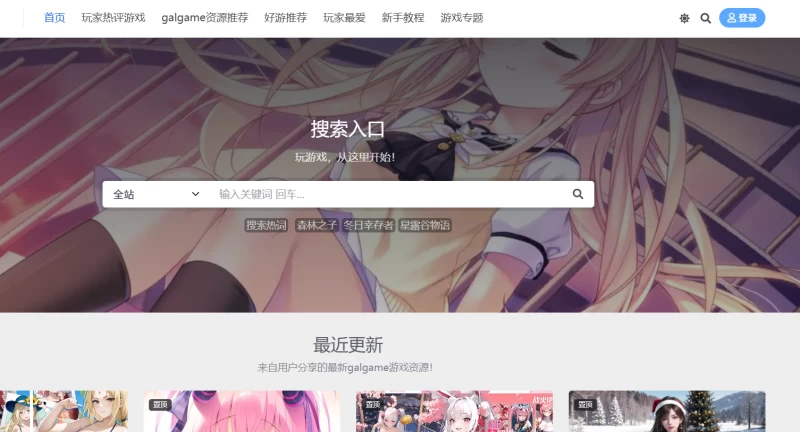
Open the app—the homepage is the registration interface. Phone number login is fastest, enter the verification code and done in three seconds. Don't want to bind a phone number? Use email registration, but remember to check your spam folder for the verification email. After registration, fill in a nickname—don't use fancy symbols, Chinese characters plus numbers is most stable. Pick any avatar, you can change it later.
After login, the system will ask you to select interest tags. Don't click randomly in a hurry at this point. Tags like PC Games, GalGame, Japanese Games, Indie Games directly determine what content you'll see later. I selected all of them initially, and ended up with too many recommended games on the homepage to handle. Newbies should first select two or three tags they need most—you can change them anytime later in the "Me" page.
How to Find and Download Games Properly
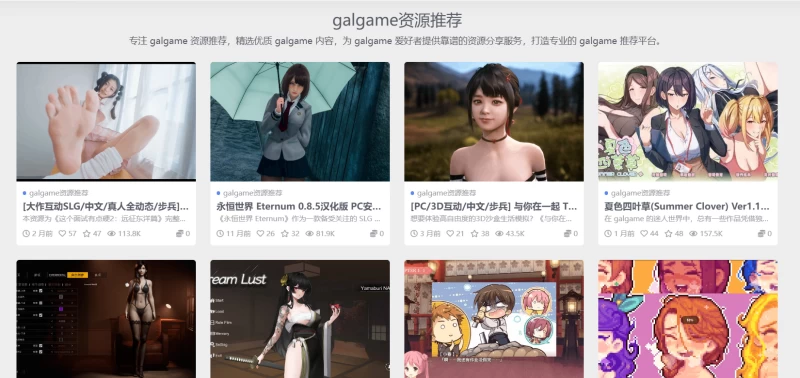
There's a search box at the top of the homepage—just type the name of what you want to find. For example, if you want to play "Stardew Valley", you can search using either Chinese or English name. Search results show version number, update time, and rating—click on the latest version. The detail page has image-text introductions, player reviews, and version history. Don't skip this—some games require specific system versions.
After clicking "Download Now", the app will call its built-in downloader. This downloader uses torrent acceleration—the more people the faster, basically maxing out your internet bandwidth. After download completes, the installation package pops up automatically. Click once to start silent installation, saving you from searching for folders everywhere. Installed games will show in "My Games"—a red dot will notify you here when there are updates.
In-depth Community Features
The soul of MoeZhai Community is in the forum section. Click "Community" in the bottom navigation bar—inside it's organized by game categories. For example, if you're playing "Genshin Impact", entering the corresponding section shows abyss guides, character team comps, artifact rating, various top posts. To post, click the "+" sign in the bottom right corner. When posting help requests, remember to include game version and specific problem—don't just drop a "help me experts".
The team matchmaking function is hidden quite deep. In an individual game detail page, scroll down to find a "Voice Room" button. Inside you can see various rooms marked with how many players needed, which dungeon, and what requirements. Creating your own room is also simple—after setting conditions and publishing, the system will automatically match teammates. This feature is especially useful for League of Legends ranked or Genshin Impact weekly bosses—ten times faster than shouting for people in-game.
MODs and Advanced Tips
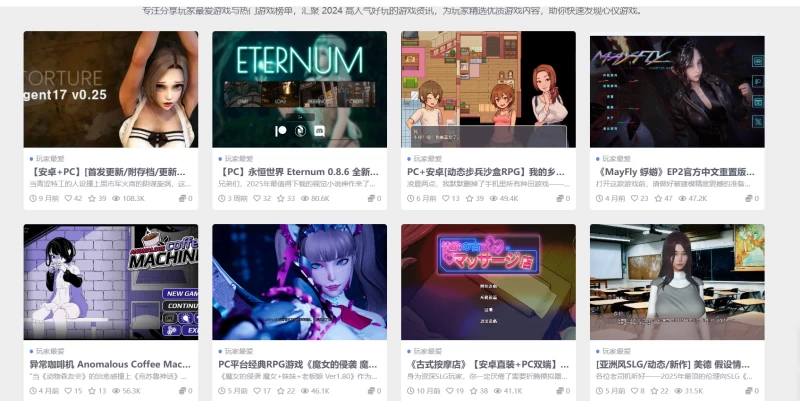
For those wanting to play MODs, find "MOD Repository" in the PC Games section. It has category filters, sort by update time or download count. Downloaded MOD files can be imported with one click in the game management tool—it automatically backs up original files so you can restore if broken. The management tool can also clear game cache and transfer installation packages to SD card—these features are in the settings at the top right of the "Me" page.
I advise newbies to use the account trading function with caution. Although the platform has fund escrow, buying and selling accounts always carries risks. If you really want to use it, first check the seller's reputation rating—pass on those below three stars directly. Funds will be frozen on the platform during transactions—you release funds after confirming the account is correct, the process is fairly secure.
Common Issues and Solutions
Slow download speed? Go to settings and set download threads to 8, then enable "WiFi-only download". Game crashes? 80% chance it's version incompatibility—go back to the detail page and find a historical version to downgrade. Community not loading? Clear the app cache, or switch network environment. Don't repeatedly try if you forgot your password—click "Forgot Password" directly, using email recovery is faster than phone verification code.
Conclusion: MoeZhai Community, when used well, is a Swiss Army knife for gamers. Download takes less than five minutes, you can jump into action after reading this tutorial. Go click that link now, come back to the comments after installing and share what treasure games you've found.





Publish Comments